> ## Documentation Index
> Fetch the complete documentation index at: https://docs.sg.tuitionable.com/llms.txt
> Use this file to discover all available pages before exploring further.
# Complete Booking
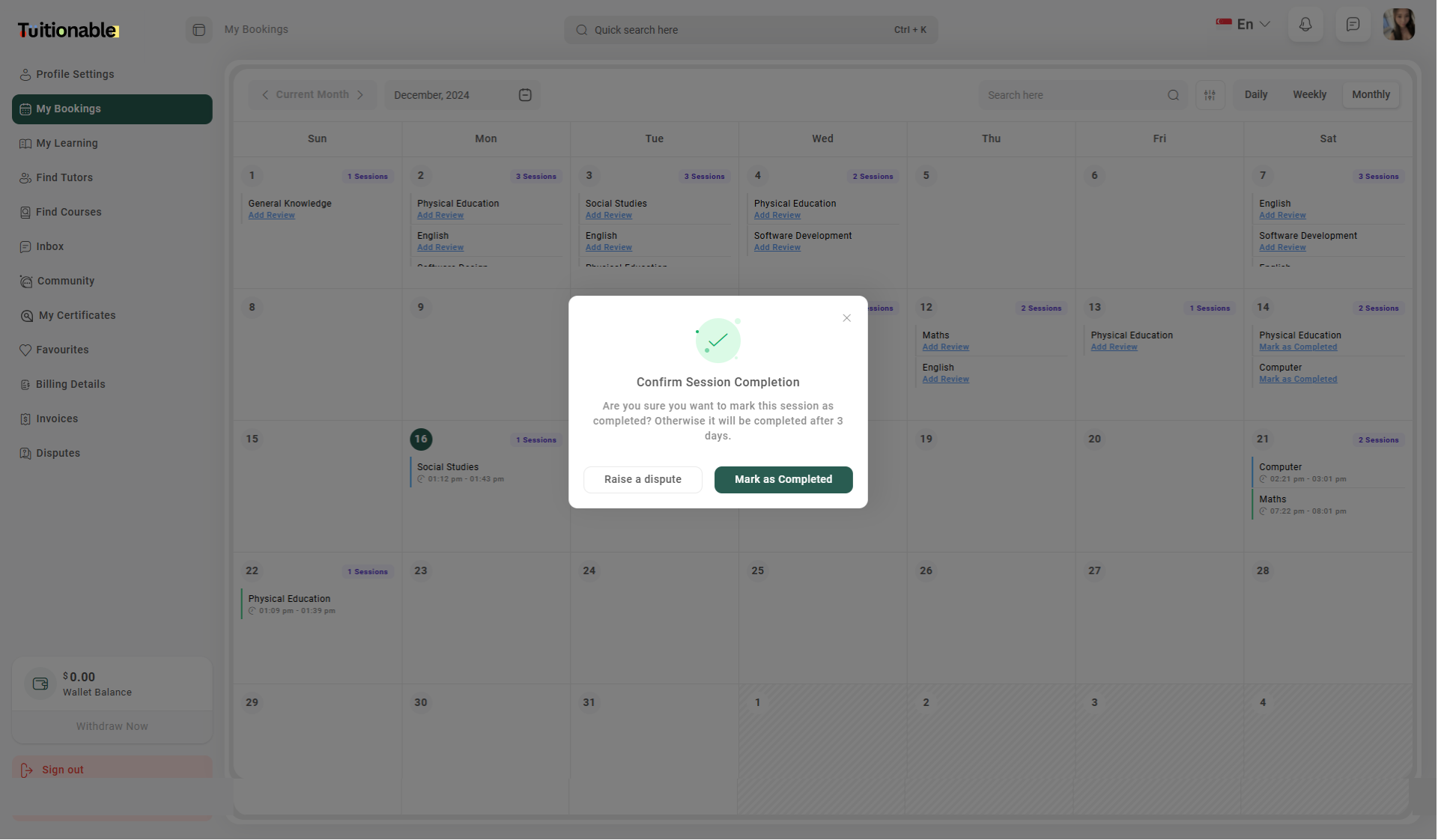
The **Complete Booking** section enables students to mark the booking as complete or raise a dispute. **Students** can mark the session as complete by clicking on the **Mark as Complete** button and can create a dispute by clicking on the **Raise a Dispute** button.
##### **Complete**
* On the **Mark as Complete** popup will disappear and the booking will be marked as complete.
 ##### **Dispute**
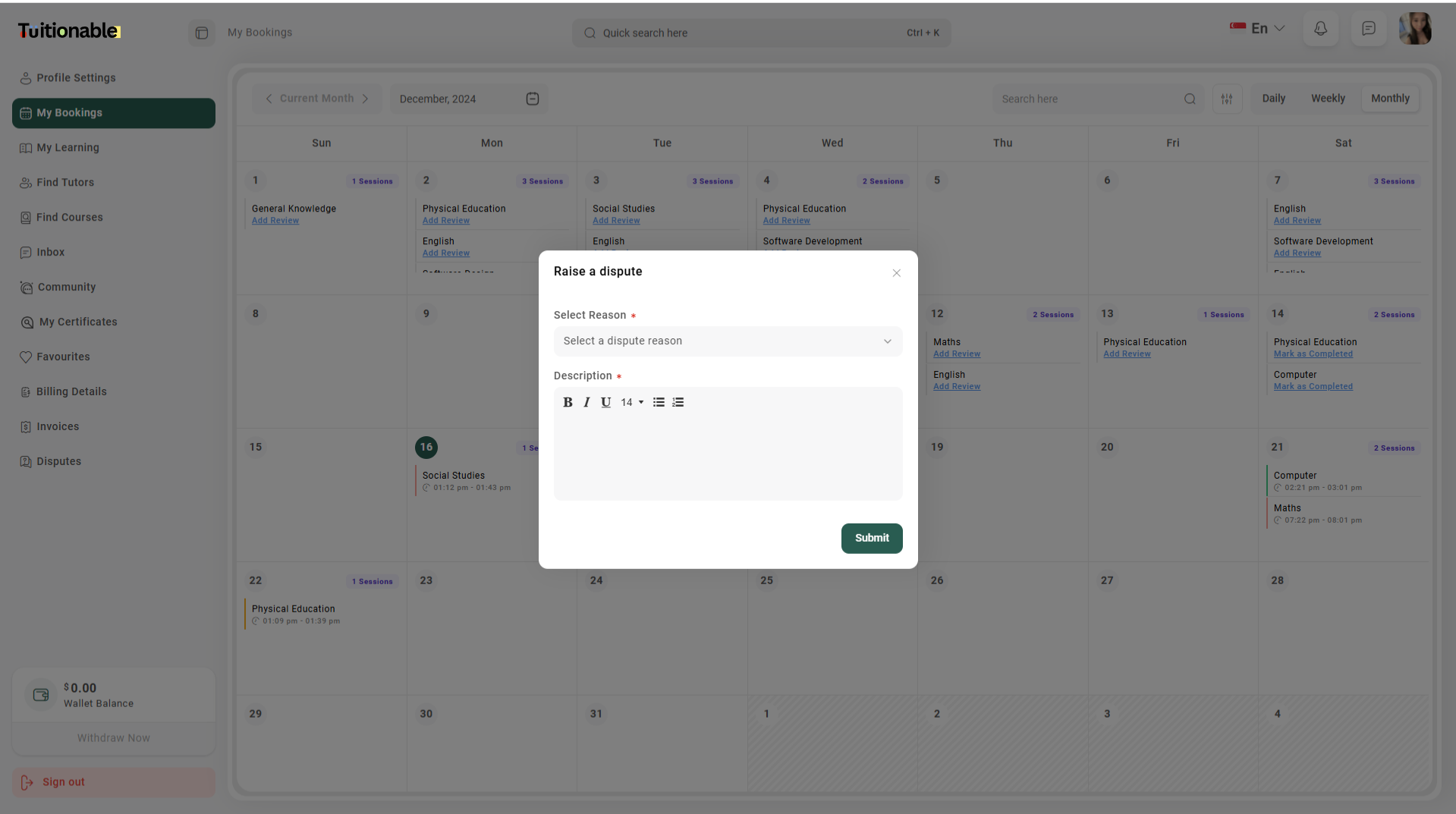
* On the **Raise a Dispute** dispute popup will appear.
* Fill out the **Raise a Dispute** form:
* **Dispute Reason:** Select the reason for the dispute.
* **Dispute Description:** Provide a detailed description of the issue.
* Click **Submit** to submit your dispute.
##### **Dispute**
* On the **Raise a Dispute** dispute popup will appear.
* Fill out the **Raise a Dispute** form:
* **Dispute Reason:** Select the reason for the dispute.
* **Dispute Description:** Provide a detailed description of the issue.
* Click **Submit** to submit your dispute.
 **Need help?** Speak to our [live chat](https://go.crisp.chat/chat/embed/?website_id=4d0db260-3c95-4794-9aad-48d6a5354a21) or join our telegram [community](https://mintlify.com/community).