> ## Documentation Index
> Fetch the complete documentation index at: https://docs.sg.tuitionable.com/llms.txt
> Use this file to discover all available pages before exploring further.
# Create Subject & Subjects Group
## **Add a Subject Group**
The **Subjects I Can Teach** feature allows tutors to add and manage the subjects you specialize in. By customizing the subjects, session rates, and descriptions, tutors can highlight their qualifications and attract students seeking specific expertise.
* Navigate to the **Manage Bookings** section in the sidebar.
* Select the **Subjects I Can Teach** tab at the top.
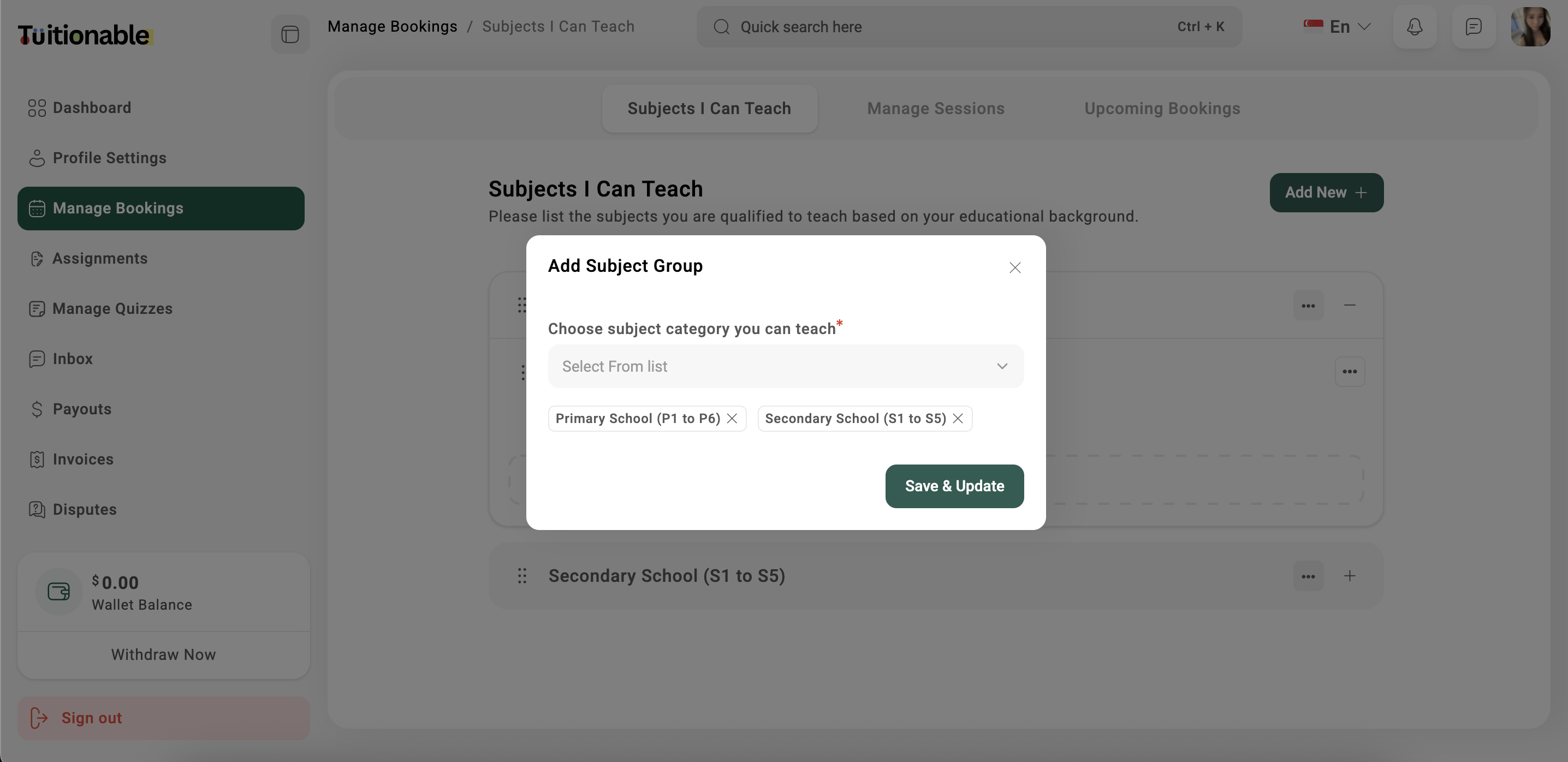
* Select the **Add New** button located at the top-right corner of the section to open the **Add Subject Group** modal.
* Use the dropdown menu in the **Add Subject Group** window to select one or more categories. These categories define the educational levels for which the subject will be available (e.g., Primary School, Secondary School, Junior College and more).
* Click **Save & Update** to select subject group.
 **Need help?** Speak to our [live chat](https://go.crisp.chat/chat/embed/?website_id=4d0db260-3c95-4794-9aad-48d6a5354a21) or join our telegram [community](https://mintlify.com/community).