> ## Documentation Index
> Fetch the complete documentation index at: https://docs.sg.tuitionable.com/llms.txt
> Use this file to discover all available pages before exploring further.
# Favourites
The **Favourites** section allows students to save and manage a list of their preferred tutors for quick access and easy booking. This feature helps streamline the process of finding and scheduling sessions with tutors that students find most valuable.
### **Key Features**
* **View Saved Tutors:**
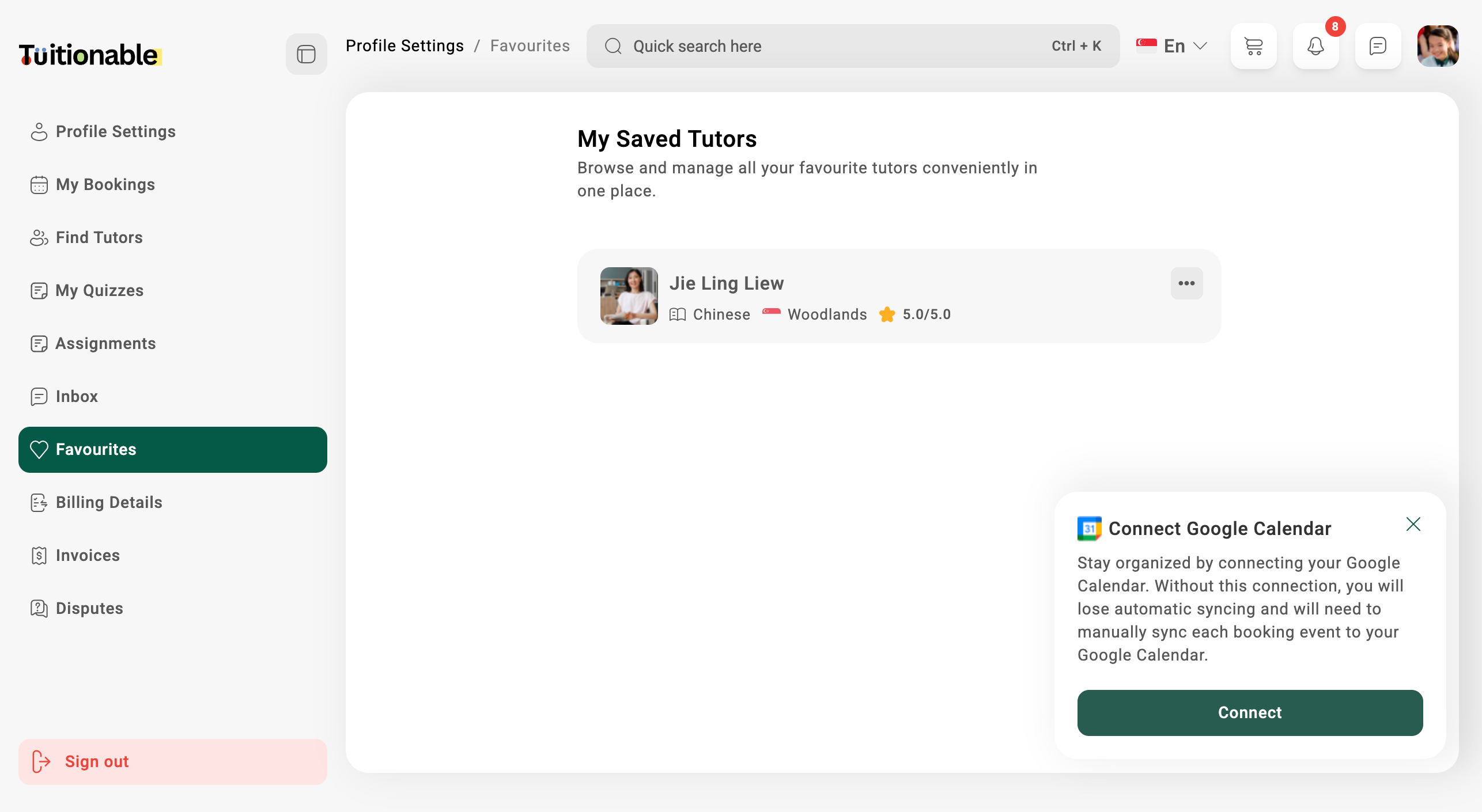
A list of all tutors marked as favorites will be displayed. Each entry includes the following details:
* **Tutor Name:** Displayed prominently at the top of the card.
* **Languages:** Shows the languages the tutor can speak (e.g., English, Chinese, Malay).
* **Location:** The tutor's location (e.g., Woodlands, Tampines, Chua Chu Kang).
* **Ratings:** A visual rating (e.g., 0.0/5.0).
* **Manage Favourite Tutors:**
* **View Tutor Profile:** Click on the ellipsis menu (\*\*...\*\*) next to the tutor's name and select the **View Profile** option. This allows students to view detailed information about the tutor.
* **Remove from Favourites:** If a tutor is no longer needed in the favorites list, use the ellipsis menu and select **Remove from list** to delete the tutor.
### **Example View**
Below is an example of the **Favourites** section displaying saved tutors:
 **Need help?** Speak to our [live chat](https://go.crisp.chat/chat/embed/?website_id=4d0db260-3c95-4794-9aad-48d6a5354a21) or join our telegram [community](https://mintlify.com/community).