> ## Documentation Index
> Fetch the complete documentation index at: https://docs.sg.tuitionable.com/llms.txt
> Use this file to discover all available pages before exploring further.
# Inbox
The **Inbox Area** allows students to stay connected with tutors through a robust, real-time messaging system. This feature facilitates clear and seamless communication, ensuring a collaborative and interactive learning environment.
### **Key Features**
* **User List and Search:**
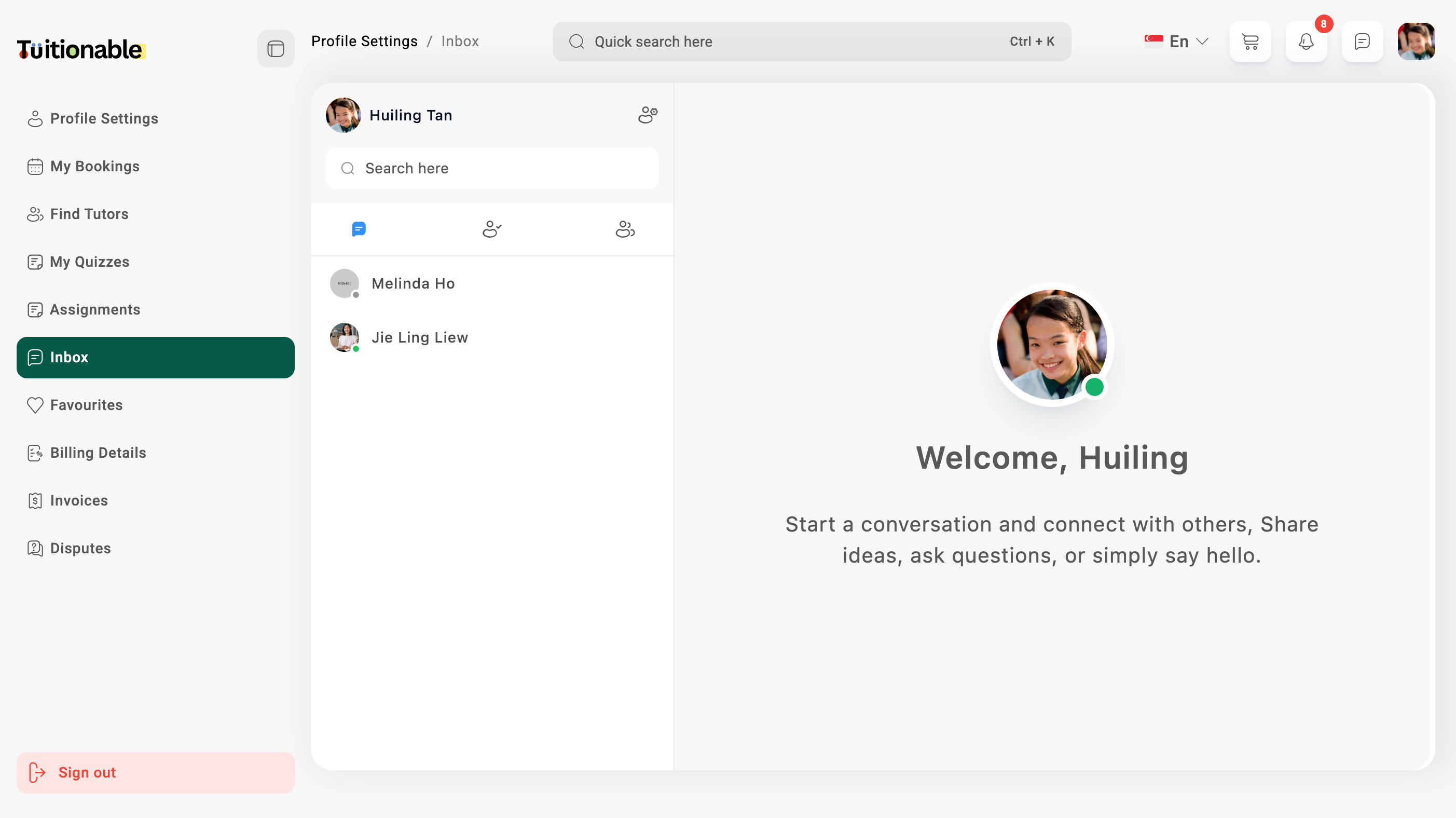
* On the left panel, you can view a list of all active conversations with tutors or other users.
* Use the **Search Bar** to quickly find a tutor or student and start a new conversation.
* **Real-time Chat:**
* Engage in interactive conversations with tutors using:
* **One-to-One Messaging:** Private and direct messaging with tutors.
* **File Sharing:** Upload and share files, including audio, video, documents, and images.
* **Voice Notes:** Send recorded voice messages to communicate effectively without typing.
* **Instant Updates:** Messages appear instantly in the chat window, ensuring real-time communication.
* **Send Friend Requests:**
* Before initiating a chat, students can send friend requests to tutors or other users for approval.
* **Message Notifications:**
* New message notifications and friend requests appear with icons and alerts, ensuring students do not miss important messages.
* **Welcome Screen:**
* When no conversation is selected, a friendly welcome message is displayed in the center of the chat area, encouraging students to:
* Start a new conversation.
* Share ideas or questions with tutors.
* Collaborate and engage with others.
### **Steps to Use the Inbox Area**
1. Go to the **Inbox** section in your dashboard.
2. Select an active conversation from the user list or search for a tutor to start a new chat.
3. Type your message and click **Send**.
4. Share files, voice notes, or images directly within the conversation.
5. Check notifications for new messages or pending friend requests.
### **Visual Overview**
Below is an example of the **Inbox Area** showcasing active chats and a friendly welcome screen:
 **Need help?** Speak to our [live chat](https://go.crisp.chat/chat/embed/?website_id=4d0db260-3c95-4794-9aad-48d6a5354a21) or join our telegram [community](https://mintlify.com/community).