> ## Documentation Index
> Fetch the complete documentation index at: https://docs.sg.tuitionable.com/llms.txt
> Use this file to discover all available pages before exploring further.
# Manage Sessions
The **Manage Sessions** section enables tutors to schedule and manage their teaching sessions. Tutors can create sessions in bulk and configure the session details according to their preferences.
### **Adding Sessions in Bulk**
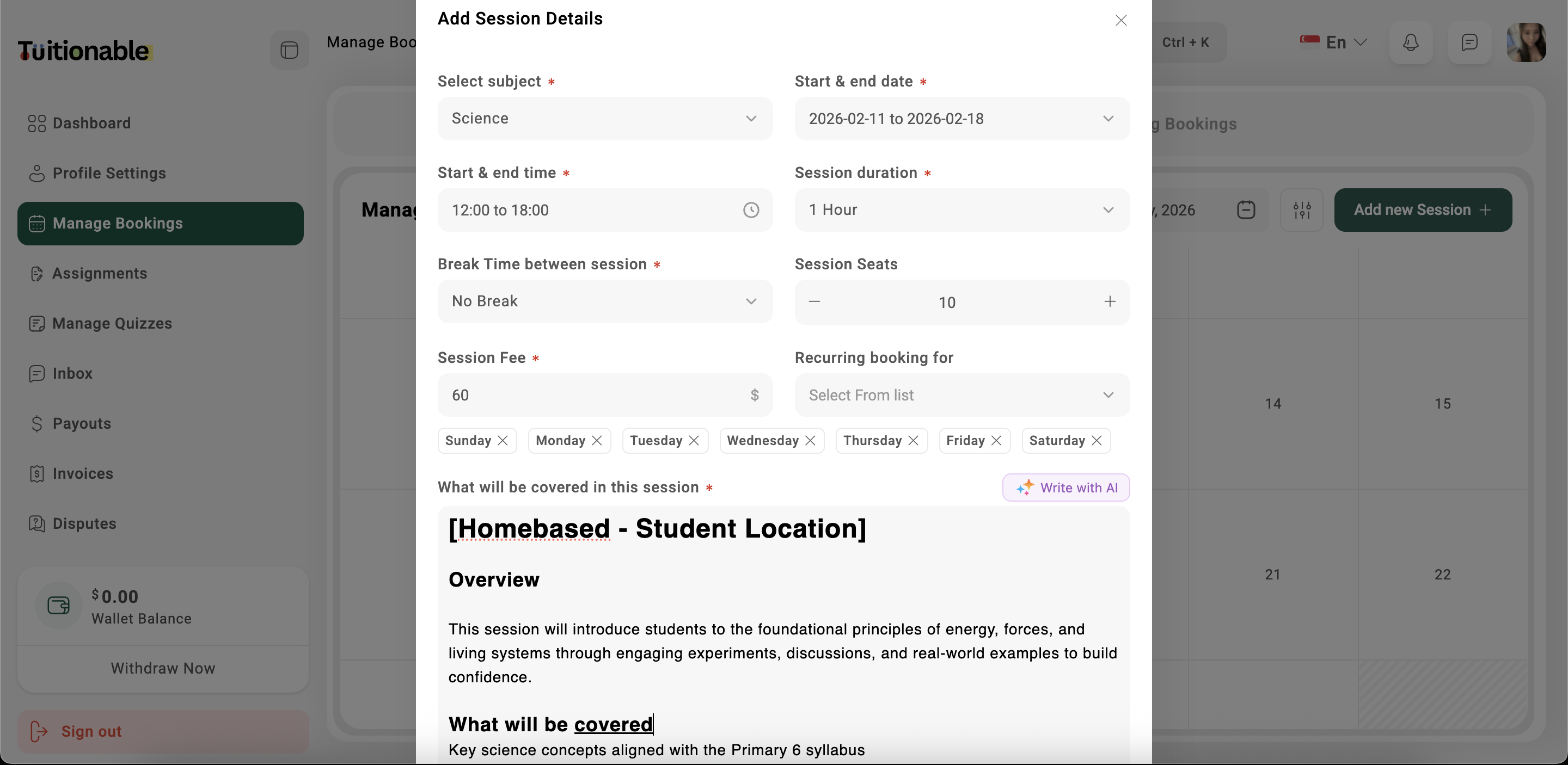
1. Click on the **Add New Session** button located at the top-right corner of the calendar.
2. Fill out the **Add Session** form:
* **Subject:** Select the subject for the session.
* **Start and End Date:** Choose the start and end date for the session.
* **Start and End Time:** Set the start and end time for the session.
* **Session Time (Duration):** Enter the total duration of each session.
* **Break Between Sessions:** Specify the break time between consecutive sessions.
* **Seats:** Choose either *1 to 1* (individual sessions) or *multiple* (group sessions).
* **Certificate Template:** Tutor can award certificates to students after completing sessions.
* **Recurring for Days:** Select the days of the week when the session should recur.
* **Session Fee:** Enter the fee for the session.
* **Session Location:** Enter the tutoring location of the sessions.
* **Sessions Topics:** Provide an overview in detail of what will be covered in the sessions.
3. Click **Save & Update** to add the sessions to the calendar.
 ### **Editing Sessions**
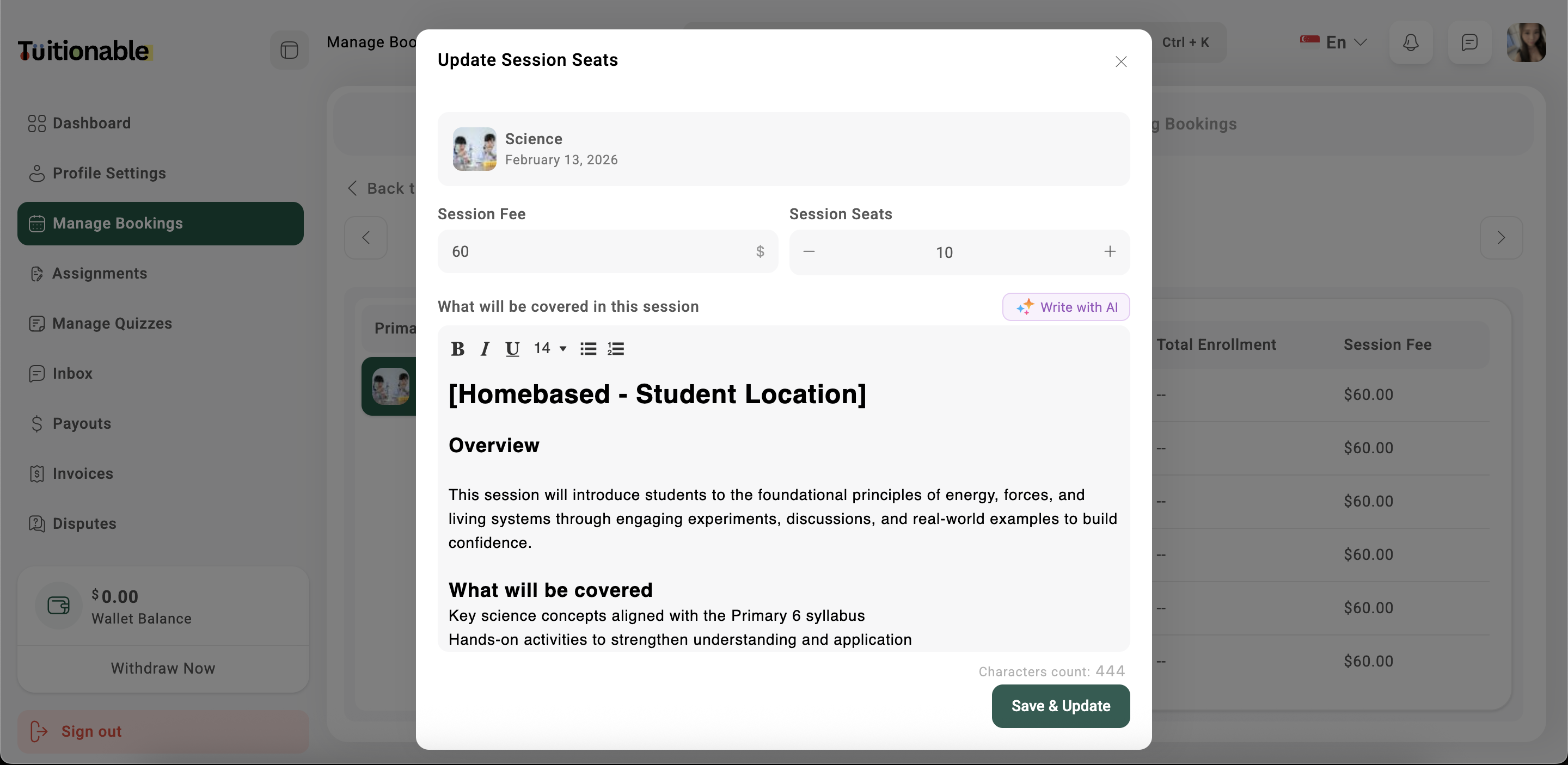
* To edit an existing session, click on the **date** of the session in the calendar.
* Modify the session details in the form that appears and click **Save & Update**.
### **Editing Sessions**
* To edit an existing session, click on the **date** of the session in the calendar.
* Modify the session details in the form that appears and click **Save & Update**.
 **Need help?** Speak to our [live chat](https://go.crisp.chat/chat/embed/?website_id=4d0db260-3c95-4794-9aad-48d6a5354a21) or join our telegram [community](https://mintlify.com/community).