> ## Documentation Index
> Fetch the complete documentation index at: https://docs.sg.tuitionable.com/llms.txt
> Use this file to discover all available pages before exploring further.
# My Bookings
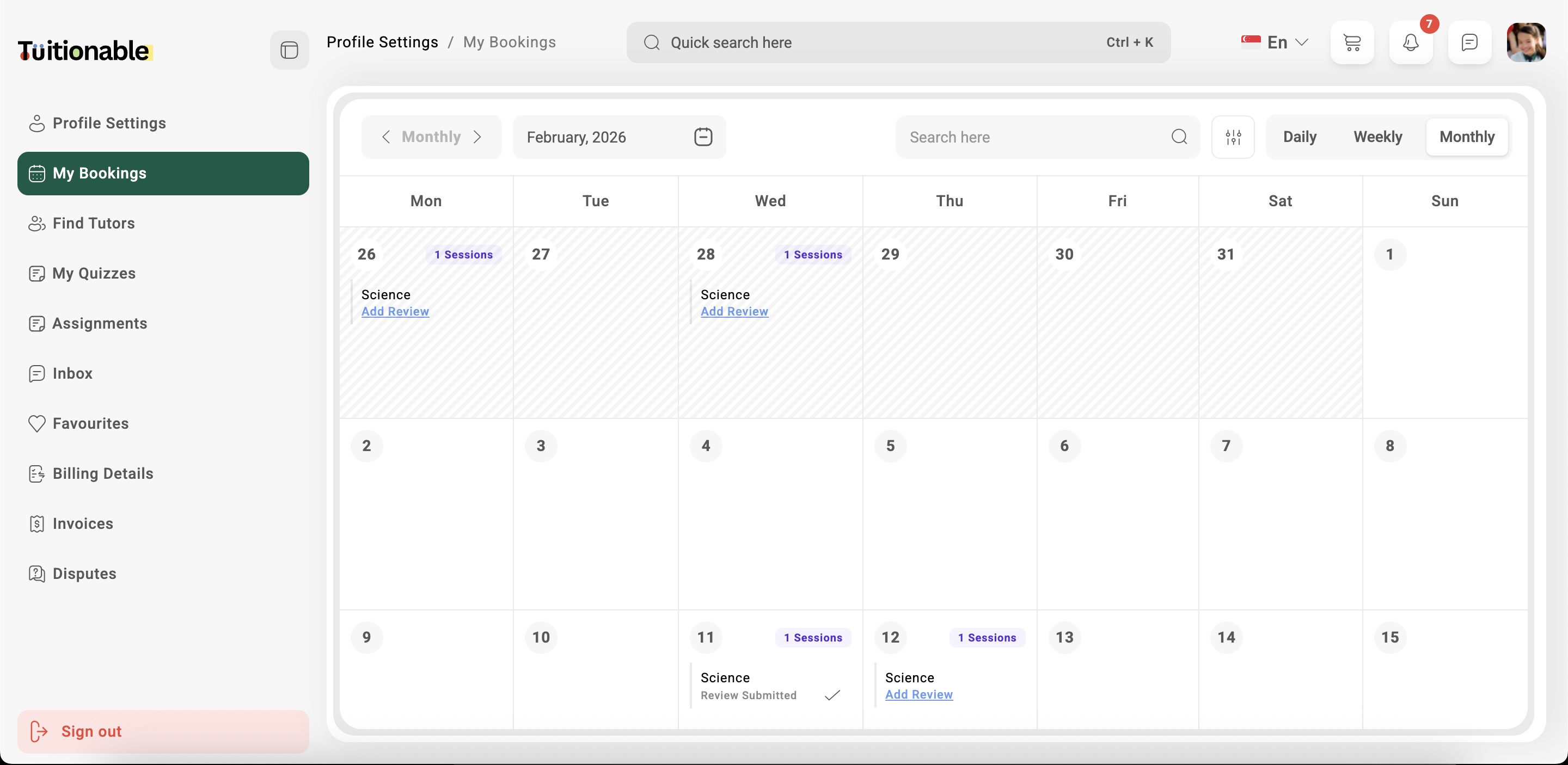
**My Bookings** section allows students to efficiently view, manage, and organize their upcoming, completed, and past sessions with tutors. The interface includes a friendly calendar-based display for better visualization and session tracking.
### **1. Calendar View**
The center of the screen displays a detailed calendar that shows all scheduled sessions. Key features of the calendar include:
* **Daily, Weekly, and Monthly Views:** Students can toggle between the following views for convenience:
* **Daily View:** Displays bookings for a specific day in a timeline format.
* **Weekly View:** Provides an overview of all bookings scheduled for the week.
* **Monthly View:** Displays a full month's calendar with all scheduled sessions highlighted.
* **Today Button:** Quickly navigate back to the current day by clicking the **"Today"** button at the top of the calendar.
### **2. Session Details**
Each scheduled session appears as a card on the calendar with the following details:
* **Session Title:** The name of the session (e.g., "Math - Algebra").
* **Time:** The session start and end times (e.g., 01:00 pm - 03:00 pm).
* **Session Fee:** Displays the cost of the session (e.g., \$50.00).
* **Total Enrollment:** Shows the number of students enrolled (e.g., 1 Student).
* **Date:** Highlights the date of the session (e.g., November 20, 2025).
* **View Full Details:** Click on the "View Full Details" link to get additional information about the session or contact the tutor.
### **3. Search and Filter Bookings**
Students can use the search bar at the top-right to quickly find a specific session by entering relevant keywords such as the tutor's name, session title, or date.
### **4. Session Management**
* **View Details:** Access detailed information about each session, including the tutor's profile, enrolled students, and session fee.
* **Manage Bookings:** Students can make necessary adjustments such as rescheduling, canceling, or rebooking sessions based on availability.
### **5. Refund Wallet Balance**
The sidebar displays the student's current wallet balance (e.g., \$50.00) and provides an option to withdraw funds or rebook session using the funds if applicable.
### **Example Interface**
Below is an example of the **Monthly View** calendar interface with a scheduled session displayed:
 **Need help?** Speak to our [live chat](https://go.crisp.chat/chat/embed/?website_id=4d0db260-3c95-4794-9aad-48d6a5354a21) or join our telegram [community](https://mintlify.com/community).