> ## Documentation Index
> Fetch the complete documentation index at: https://docs.sg.tuitionable.com/llms.txt
> Use this file to discover all available pages before exploring further.
# My Invoices
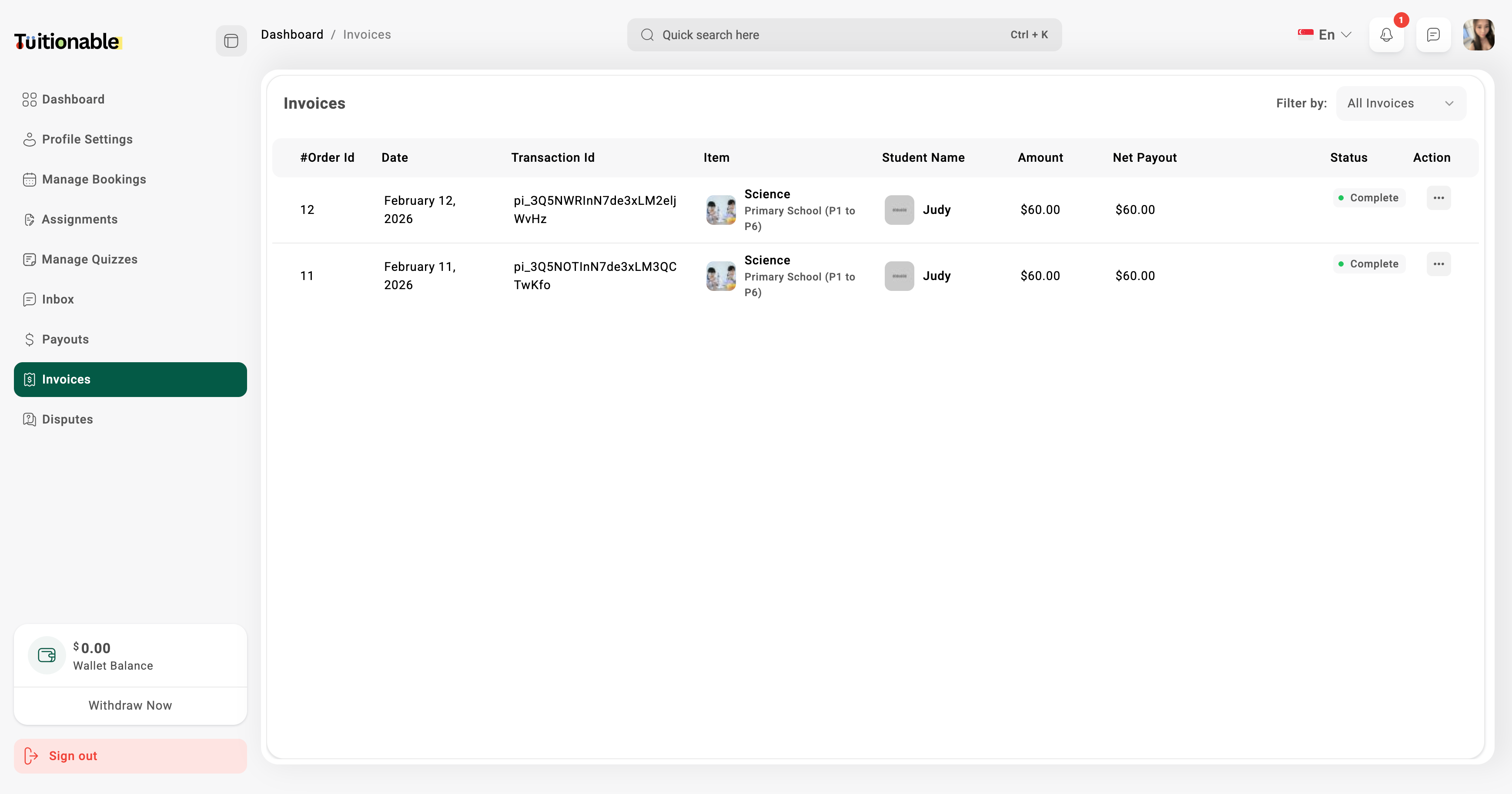
The **My Invoices** section provides a detailed overview of all the transactions and invoices for completed bookings.
* **Invoice Details:** View details of each invoice, including:
* **Order ID:** The unique identifier for each transaction.
* **Date:** The date when the booking was made.
* **Transaction ID:** The payment transaction identifier.
* **Subject:** The subject or course title booked.
* **Student Name:** The name of the student with whom the session was conducted.
* **Tutor Payout:** Amount received by the tutor after the platform fee.
* **Amount:** The total amount paid for the session.
* **Status:** The current status of the invoice (e.g., Complete, Pending).
* Use the **Filter by** dropdown menu to filter invoices by their status.
 **Need help?** Speak to our [live chat](https://go.crisp.chat/chat/embed/?website_id=4d0db260-3c95-4794-9aad-48d6a5354a21) or join our telegram [community](https://mintlify.com/community).