> ## Documentation Index
> Fetch the complete documentation index at: https://docs.sg.tuitionable.com/llms.txt
> Use this file to discover all available pages before exploring further.
# Profile Settings
The **Profile Settings** section allows students to manage their personal information, account preferences, and password management. This ensures an optimized experience for scheduling sessions, maintaining security, and linking additional tools like Google Calendar.
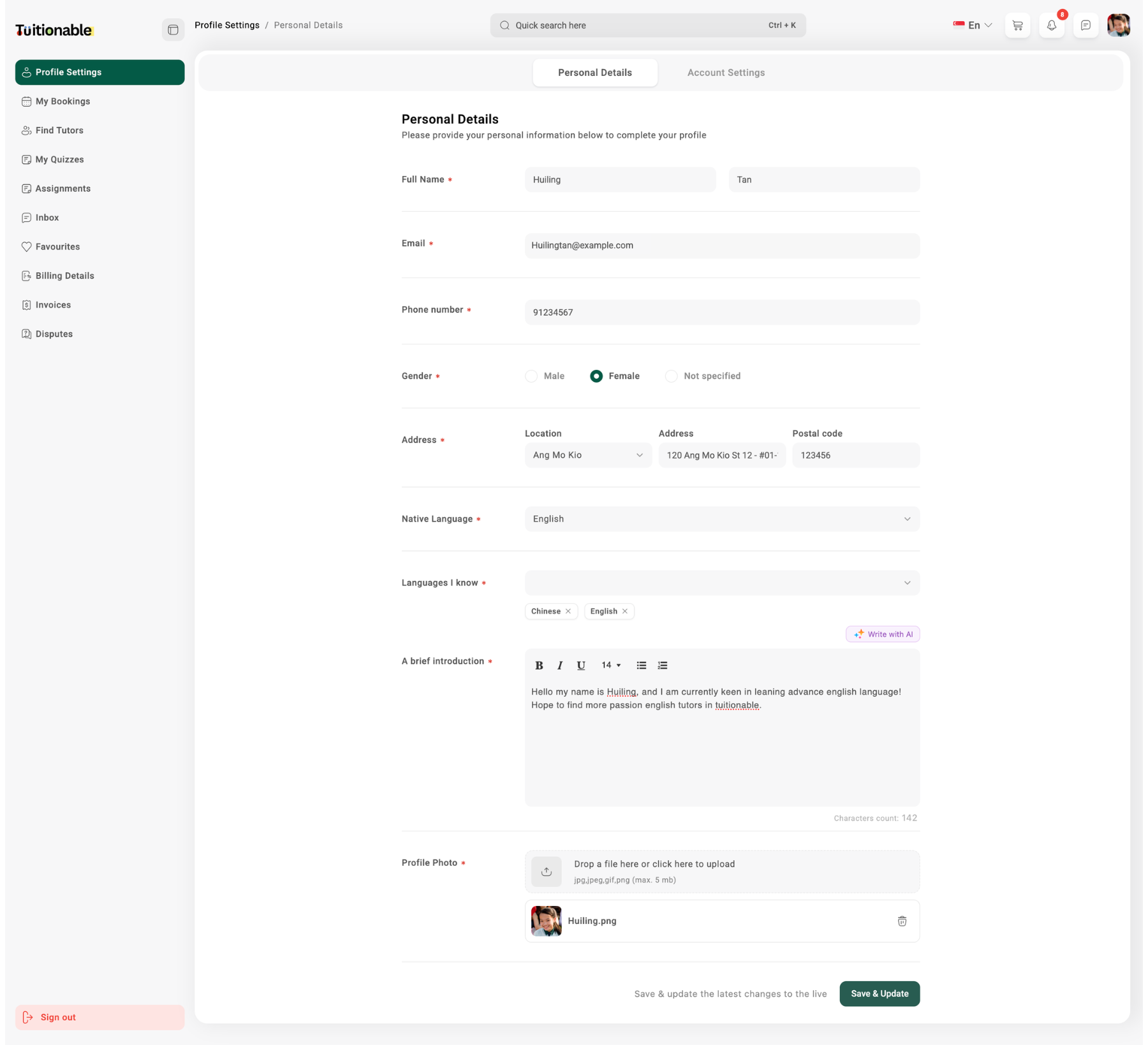
### **1. Personal Details**
Students can update their personal information to ensure their profile remains accurate and up-to-date. The fields include:
* **Full Name:** Enter your first name and last name.
* **Email:** Update your email address for platform communication.
* **Phone Number:** Add or edit your contact number.
* **Gender:** Select your gender as Male, Female, or Not Specified.
* **Address:** Provide your location, address, and postal code to complete location details.
* **Native Language:** Indicate your primary/native language.
* **Languages I Know:** Add any additional languages you can speak or understand.
* **A Brief Introduction:** Write a short description about yourself, including your skills, background, or interests.
* **Profile Photo:** Upload a clear profile picture by dragging and dropping an image or selecting it from your device. (Supports formats like jpg, jpeg, and png up to 5 MB).
 ### **2. Account Settings**
The **Account Settings** section allows students to configure their account preferences. Key features include:
* **Update Password:** Reset your password by entering and confirming a new password. Ensure it's secure and meets the platform's requirements.
* **Update Time Zone:** Select your preferred time zone from the dropdown list. This ensures that all bookings and session timings align accurately with your local time.
* **Link Google Calendar:** Connect your Google Calendar to sync all upcoming and scheduled sessions. This integration helps you manage your time effectively and receive timely reminders.
### **2. Account Settings**
The **Account Settings** section allows students to configure their account preferences. Key features include:
* **Update Password:** Reset your password by entering and confirming a new password. Ensure it's secure and meets the platform's requirements.
* **Update Time Zone:** Select your preferred time zone from the dropdown list. This ensures that all bookings and session timings align accurately with your local time.
* **Link Google Calendar:** Connect your Google Calendar to sync all upcoming and scheduled sessions. This integration helps you manage your time effectively and receive timely reminders.
.png?fit=max&auto=format&n=k364YDjXbtawUNul&q=85&s=c576fdd148acc46511c4d802b36249f1) **Need help?** Speak to our [live chat](https://go.crisp.chat/chat/embed/?website_id=4d0db260-3c95-4794-9aad-48d6a5354a21) or join our telegram [community](https://mintlify.com/community).
**Need help?** Speak to our [live chat](https://go.crisp.chat/chat/embed/?website_id=4d0db260-3c95-4794-9aad-48d6a5354a21) or join our telegram [community](https://mintlify.com/community).