.svg?fit=max&auto=format&n=EbT5c5CK5ttnRp4Q&q=85&s=34190a88db4004ebafd45a244be70c6b)
Submit Profile for Approval
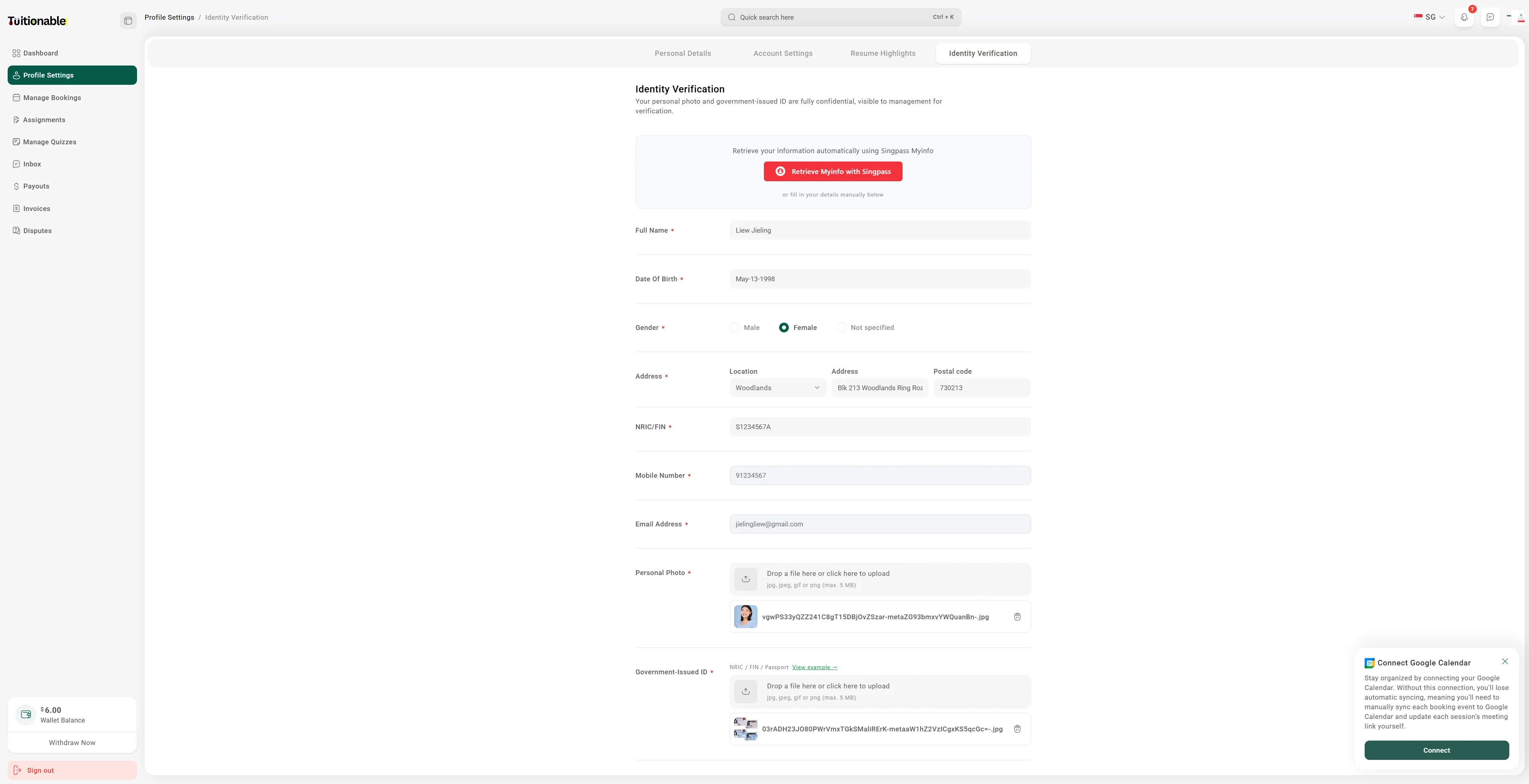
- Navigate to Profile Settings > Identity Verification from the dashboard.
- Retrieve Myinfo with Singpass or enter your personal details, including Full Name, Date of Birth, Gender, Address, NRIC/FIN, Mobile Number, Email Address and upload a Personal Photo and Government-Issued ID.
- Click Save & Update to submit your profile for verification.
- Your profile will be reviewed by our admin team, and once approved, it will be visible in the search listings, allowing students to find and book your sessions.